

Table of Contents
- What Is Marketing Automation for Small Businesses?
- Why Small Businesses Need Marketing Automation
- Marketing Automation Best Practices That Drive Results
- Marketing Automation Strategy Examples for Small Teams
- Marketing Automation Tools for Small Business
- Implementation Roadmap for Non-Technical Founders
- Maintaining Human Touch While Automating
- Conclusion
Last Updated: August 17, 2026
What Is Marketing Automation for Small Businesses?
Marketing automation for small businesses uses software and AI-driven tools to automatically execute repetitive marketing tasks, nurture leads, and guide customers through their journey without manual intervention at every step. You define what you want to happen (send an email when someone downloads a resource, score a lead based on engagement, post to social media at optimal times), configure it once, and let the system handle execution.
At My Chief Marketing Officer, we’ve worked with small business owners drowning in manual marketing tasks. Most discovered that marketing automation isn’t about replacing human judgment, it’s about removing friction so your best people can do their best work. A founder spending 10 hours per week on email list management isn’t building strategy. A team manually scoring leads is making decisions on incomplete information. Automation fixes both problems.
Why Small Businesses Need Marketing Automation
Most small business owners operate in constant triage, juggling customer acquisition, retention, support, and product development simultaneously. Marketing gets squeezed into whatever time remains, which usually isn’t enough.

Without automation, managing 500 contacts with personalized follow-ups means 15-20 hours per week on email alone. Add social media posting, lead tracking, and campaign management, and a single person can’t scale beyond a handful of customer segments. Marketing automation compresses what takes hours into minutes. A drip campaign requiring 40 manual emails gets built once and runs forever. Lead scoring that would require daily spreadsheet reviews happens automatically based on behavioral triggers.
Automation also ensures consistency. When everything is manual, execution depends on someone remembering to do it. Automated workflows ensure every lead gets the same sequence and no opportunity falls through because someone was busy.
Finally, automation creates detailed records of every interaction, email open, and link click. That data becomes the foundation for understanding what actually works in your market instead of guessing.
Marketing Automation Best Practices That Drive Results
Building automation that works requires thinking differently than traditional marketing. The best results come from a specific approach to strategy, segmentation, testing, and refinement.
Start with your customer journey
Before building a single workflow, map out what your customer actually experiences. This is the specific sequence of decisions and interactions that moves someone from "never heard of you" to "paying customer" to "repeat buyer."
Most small business owners skip this step and jump straight to tools. That’s backwards. Without understanding your customer journey, you’re automating random activities instead of strategic ones.
Identify the major stages: awareness (how do people discover you?), consideration (how do they evaluate you?), decision (what pushes them to buy?), and retention (how do you keep them engaged after purchase?). For each stage, write down the specific actions your customer takes and the information they need.
Once you see this journey clearly, automation becomes obvious. You automate awareness with social media scheduling, consideration with email sequences triggered by page visits, decision-support with abandoned cart reminders, and retention with post-purchase nurture sequences.
Build segmentation before automation
The biggest mistake in marketing automation for small businesses is treating your entire contact list as one audience. Segmentation should happen before you build workflows.
Start simple. Most small businesses benefit from segmenting by: customer status (prospect, customer, past customer), engagement level (active, dormant, never engaged), and product interest. These three dimensions alone let you build dramatically different workflows for different groups.
A prospect who’s never engaged needs a different sequence than a customer who bought six months ago. A dormant contact needs reactivation, not standard nurture. A highly engaged prospect is ready for a sales conversation, not another educational email.
Segment your audience into meaningful groups first, then build workflows for each group. This requires more initial work but delivers 3-5x better results than one-size-fits-all automation.
Test behavioral triggers and personalization
Once segments are defined, the next layer is behavioral triggers. Instead of sending emails on a fixed schedule, send them based on what the contact actually did.
Examples: email triggered by downloading a resource, visiting a pricing page, abandoning a cart, or not opening the last three emails. These triggered sequences perform dramatically better than batch-and-blast because they respond to what the person actually showed interest in.
Personalization goes further: send this specific message when they do X because we know they care about Y. A contact who clicked links about pricing gets different follow-up than one who clicked links about integrations.
Pick one behavioral trigger, run it for 30 days, measure results, and iterate. Small improvements compound over time.
Marketing Automation Strategy Examples for Small Teams
Email drip campaigns for lead nurturing
An email drip campaign is a sequence of automated emails sent over time, each building on the previous one. The best drip campaigns follow a progression: establish credibility, address a specific problem, show how you solve it, and invite action.
For a B2B software company, a prospect downloading a guide on "How to Reduce Customer Churn" gets enrolled in a five-email sequence:
Email 1 (immediate): Thanks for downloading. Here’s the resource plus a related case study.
Email 2 (2 days later): Common mistake we see: focusing only on product features. The real driver is customer success.
Email 3 (4 days later): How we built a customer success program that reduced churn by 30%.
Email 4 (7 days later): Three questions to ask yourself about your current approach.
Email 5 (10 days later): If you’d like to explore this further, let’s talk.
This sequence takes 15 minutes to set up and runs automatically for every new prospect. Each email should provide value on its own. If someone opens Email 2 and never opens Email 3, they still got something useful.
Lead scoring and sales funnel alignment
Lead scoring answers which prospects are ready to talk to sales and which need more nurturing. Without scoring, your sales team talks to everyone equally, wasting time on prospects just researching rather than ready to decide.
A basic scoring model assigns points for actions indicating buying intent: visiting the pricing page = 5 points, opening three consecutive emails = 3 points, downloading a case study = 5 points, requesting a demo = 20 points. When a contact hits 25 points, they’re automatically flagged as sales-ready.
Define what "ready" means for your business. Once defined, automation handles the tracking. You’re not manually reviewing spreadsheets. The system tells you who to call.
Social media scheduling and omnichannel workflows
Social media scheduling is often the highest-ROI automation because it requires almost no extra work but reaches a different audience. Most small businesses post sporadically because posting daily is time-consuming. Scheduling tools let you batch-create content once per week, then post automatically across the week.
Schedule Your FREE Session Today! →
Omnichannel workflows connect social, email, and website. Someone clicks a link in your email, lands on a specific page, and gets added to a targeted social media audience. You then retarget them with ads. Or someone engages with your Instagram post and gets added to a nurture email sequence. The contact sees a consistent message across channels because workflows are connected.
Marketing Automation Tools for Small Business
The market has dozens of options falling into two categories: simple tools focused on one function and comprehensive platforms handling multiple functions. For most small businesses, a comprehensive platform wins because time saved on integration pays for itself.
Core features to prioritize
When evaluating marketing automation for small businesses, focus on features addressing your biggest bottleneck. Every platform worth considering should include: email automation with behavioral triggers, contact segmentation, basic CRM functionality, integration with existing tools (payment processors, e-commerce platforms, customer support systems), and reporting showing which campaigns drive actual revenue.
Avoid tools requiring heavy customization or coding. Small teams don’t have time to troubleshoot complex setups.
Integration ecosystem and data privacy
Your marketing automation tool needs to connect with your e-commerce platform, CRM, payment processor, and analytics. Before choosing a tool, verify it integrates with systems you already use.
Data privacy is equally critical. You’re collecting customer information and automating emails, so you’re handling personal data. You need to comply with regulations like GDPR and CCPA. The tool should make compliance easy with automatic unsubscribe handling, consent tracking, and data deletion workflows.
Implementation Roadmap for Non-Technical Founders
Choosing a tool is one thing. Actually building workflows that work is another. Most small business owners get stuck here.
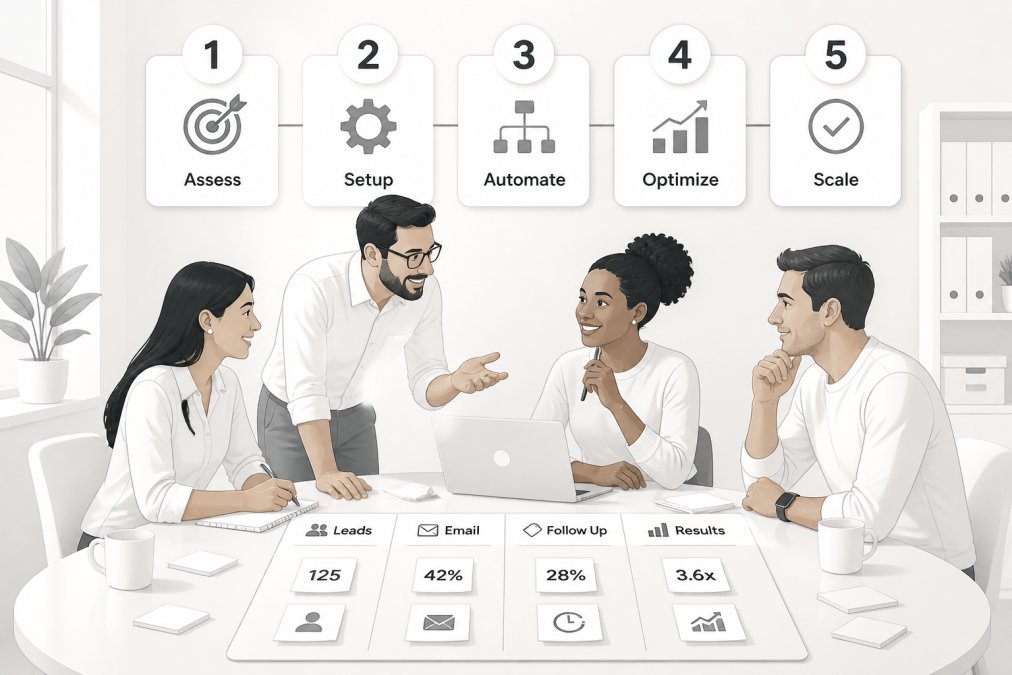
Phase 1: Audit your current marketing stack
Before building anything, understand what you already have. Write down: every tool you’re currently using, how contacts enter your system, what manual processes consume the most time, and where leads get lost.
This audit usually reveals you have more infrastructure than you think. The problem isn’t missing tools, it’s that they’re not connected. Identify your one biggest bottleneck. This becomes your first automation target.
Phase 2: Map workflows and define success metrics
Pick one workflow to build first addressing your biggest bottleneck. Don’t try to automate everything at once.
Map the workflow on paper: what triggers it, what sequence of actions happens, where does it end? Define success metrics for this workflow. Don’t just measure "emails sent." Measure actual business outcomes: leads generated, conversion rate, revenue influenced.
Example: You’re automating a lead nurture sequence for prospects downloading a guide. Success metric is "25% of enrolled contacts become sales-qualified leads, and 10% eventually become customers", not just "100 people enrolled."
Phase 3: Launch, measure, and optimize
Build the workflow in your chosen tool. Most platforms have templates for common workflows. Launch to a small test group first.
Run the workflow for 30 days. Measure everything: open rates, click rates, conversion rates, and revenue impact. After 30 days, adjust. If open rates are low, test a different subject line. If conversion rates are low, the workflow itself might be wrong.
Most successful automation requires 2-3 rounds of optimization before hitting peak performance.
Maintaining Human Touch While Automating
The more you automate, the more important genuine human connection becomes. Automation fatigue is real. A prospect receiving five generic automated emails in a week feels spammed, not nurtured.
Use automation strategically and leave room for human interaction. Automate routine communication (welcome emails, educational sequences, post-purchase follow-up) but reserve personal outreach for high-value moments. When a prospect shows serious buying intent, a personal email or phone call creates impact automation can’t match.
Personalization within automation also helps. Use segmentation and dynamic content so each contact receives messages relevant to them. An email referencing something specific they did feels personal even though it’s automated.
The goal is using automation to scale your reach while preserving personal touches that build relationships. You’re using technology to handle repetitive parts so your team can focus on parts requiring judgment.
The challenge most small business owners face isn’t choosing the right tool, it’s building workflows that actually drive revenue. My Chief Marketing Officer helps founders cut through that noise by providing experienced fractional CMOs who understand your specific business and can build automation strategies tailored to your actual customer journey. We use our proprietary M.A.R.S. Method to consolidate fragmented marketing into a cohesive system that accelerates growth without requiring you to hire a full-time executive. Schedule Your FREE Session Today! to discuss how we’d approach your specific marketing challenges.
Frequently Asked Questions
What is the best marketing automation software for small businesses?
The best marketing automation for small businesses depends on your budget, team size, and specific needs. Look for platforms that offer email marketing, lead scoring, CRM integration, and ease of use without requiring extensive technical expertise. Prioritize tools that fit your current marketing stack and scale as you grow. Many solutions offer free or low-cost plans designed specifically for small teams, allowing you to test before committing to higher tiers.
How does marketing automation help small businesses save time?
Marketing automation eliminates repetitive tasks like manual email sends, lead data entry, and campaign scheduling. Instead of manually tracking customer interactions, your system automatically segments contacts, triggers personalized messages, and scores leads based on behavior. This frees your team to focus on strategy and customer relationships rather than operational tasks. Small businesses typically reclaim 10-15 hours per week through automation, allowing limited teams to manage larger customer bases efficiently.
What are examples of marketing automation for small businesses?
Common examples include email drip campaigns that nurture leads automatically, behavioral triggers that send messages when customers take specific actions, social media scheduling across multiple platforms, automated lead scoring that identifies sales-ready prospects, and dynamic content personalization based on customer segment. Another example is automated workflows that sync customer data between your email platform and CRM, eliminating manual data entry and ensuring your sales team always has current information.
Is marketing automation affordable for small businesses?
Yes. Most marketing automation platforms offer tiered pricing and free plans that work well for small teams starting out. Many solutions cost less than hiring even one part-time marketing employee, while delivering more consistent, scalable results. The key is choosing a tool that matches your current needs rather than paying for enterprise features you won't use. When you factor in time saved and improved conversion rates from better lead nurturing, the ROI typically justifies the investment within the first few months.
Do I need a dedicated marketing team to use marketing automation?
No. Marketing automation is designed for small teams and solo marketers. The whole purpose is to reduce manual work so fewer people can manage more customers. Many small business owners run their entire marketing operation with automation and a few hours per week of strategy and optimization. However, having someone (even part-time) to oversee strategy, content, and performance is helpful. A fractional CMO or experienced marketing consultant can help you design workflows and ensure your automation aligns with business goals.
How do I maintain a human touch while using marketing automation?
Automation handles repetitive, scalable tasks, but strategy and personalization come from you. Use behavioral data to understand what your customers actually care about, then craft messages that feel genuine, not robotic. Segment your audience carefully so messages feel relevant, not generic. Include personal touches like founder stories or customer testimonials in automated emails. Most importantly, reserve personal outreach for high-value leads and existing customers. Automation frees time for the human conversations that build real relationships.
What data privacy and compliance issues should I consider with marketing automation?
You must comply with CAN-SPAM regulations for email marketing, which require clear unsubscribe options and honest subject lines. If you collect data from customers in Europe or California, GDPR and CCPA apply, requiring explicit consent before sending automated messages and the ability to delete customer data on request. Choose a marketing automation platform that helps you manage consent and provides audit trails for compliance. Document your automation workflows to show regulators how you handle customer data, and regularly review your processes to stay compliant as regulations evolve.

Share this Post